Announcing Eric’s 2010 conference tour

•February 8, 2010 • Leave a Comment

——————————————–

Come see my popular conference sessions scheduled so far this year.  If you are a Hyperion/EPM/BI System Administrator or will soon become one, these sessions are a must!!

Shoot me an email if you plan on attending!

——————————————–

January

February

April

June

Setting up automated Essbase Migrations in 11.1.1.3 with Life Cycle Management

•January 24, 2010 • Leave a Comment

Setting up automated Essbase Migrations in 11.1.1.3 with Life Cycle Management

What is LCM?

One of most attractive features of version 11 is Life Cycle Management.  It is by far the biggest step that Oracle has taken in a true migration utility that has made migrating applications from DEV to TEST to PROD easier than ever before. But it does come with its share of nuances.

LCM actually existed in 9.3, but it was more of a command line tool that was integrated with Workspace, and it did not really offer a good solution to security and provisioning.  LCM is now integrated (and installed) with Shared Services with a much easier to use GUI interface.

What it does

LCM migrates entire applications or individual “artifacts” between environments.  If the environments share a common Shares Services, the migration can go directly from application to application.  However, more commonly, the environments use separate Shared Services, so most migrations are done by exporting and importing to/from the file system.

The exports are stored in $HYPERION_HOME/common/import_export/<user>

Each user has directory here that stores their exported LCM artifacts.  The exports are organized into a logical directory structure.  Some use this structure to ZIP up entire applications and use them for version control and release management.

For Essbase, LCM will copy most everything that is needed for an Essbase Application, including

  • Definitions of all databases within the applications
  • Outlines
  • Substitution Variables
  • Rule Files
  • Calculation Scripts
  • Report Scripts
  • Excel Files
  • Location Aliases
  • Security Filters

It does not do

  • Data
  • Versioning
  • MXL files
  • Triggers
  • Partition definitions,
  • custom defined macros/functions

Prerequisites

  • In addition to product provisioning, users must be provisioned to the LCM Administrator Role.  For Essbase, a user needs Server Access, Calc, and Database Manager privileges.
  • Essbase must be in Shared Services Mode
  • Environments must be same software release version
  • LCM does not create applications, so the target app must exist, with the same name
  • During export, the source applications need to be running, and likewise, on import, the target applications need to be running.
  • When performing a migration, if the source artifacts have an earlier time stamp than the destination artifacts, the artifacts will not get migrated.

Using LCM

Here are the basic steps in migrating environments.  I will go into more detail on each and share ideas on how to automate each.

  1. Create and execute a LCM Export migration definition file
  2. Copy the LCM Migration files to the target machine
  3. Change the hostname locations in the export files
  4. Create and execute a LCM import migration definition file
  5. Move data – if needed

LCM has a command line utility simply called utility.bat.  Migrations are defined in migration definition files, which are XML files that contain all information about a migration (source, destination, artifacts for migrations, export and import options). There will be a migration definition file for the export process and import process.

1.) Create and execute a LCM Export migration definition file

You can certainly create the migration definition file manually, as it is just an XML file… however a much easier way is to use the GUI Shared Services Migration Wizard to do that.

Using the wizard is pretty straightforward.  Within the Shared Services console, you simply check the artifacts/applications that you want to export.

For Essbase, I have found it a bit nicer to exclude Excel Files and Text Files.  Your mileage may very, but the following brings over all the artifacts I normally care about.

For security, navigate under foundation and choose Shared Services. Check the Essbase server you want to export along with Users, Roles, and Groups.

Once you have selected what you want, click the Define Migration button to start the Migration Wizard.  At the end of the wizard, just before you execute the migration, you have the ability to save the migration definition file.

This migration definition file has everything you need to repeat this exact export at will….you can run this migration export at any time either by launching a migration from the Shared Services Console, or using the LCM command line utility.

Automating

Execute Lifecycle Management Utility by entering the following at the command prompt:

Utility.bat c:/lcm/lcmdefinition.xml

Where c:/lcm/lcmdefinition.xml is the location of the migration definition file.

Additional command line arguments:

  • [-estimate]: Estimates the Number of Artifacts in a Migration
  • [-local]: Migrates to a Local File System Location
  • [-hss url]: Uses the Shared Services URL
  • [-d]: Defers Validation
  • [-f]: Fully Executes Tasks
  • [-b]: Specifies the Base Path

I suggest using the –f flag for best results.

It is important to note that the migration definition file excludes an ID and password by default. So when you run this from the command line, it will prompt for an ID and Password.  To fully automate, just edit the file and put in the ID and Password .  The connection info section in the XML file will have admin=”” and password=””. Just put in the correct values between the quotes.

2.) Copy the LCM Migration files to the target machine

After executing the migration, the exported Artifacts are stored in the import_export directory.  Notice that each user has their own directory structure… here I did my migration as the admin user, and we see my export under that user’s directory.

This directory structure needs to be copied to the target Shared Services machine in the same exact manner.  If the user directory does not exist on the target, you can simply create it using the same name.

Automating

I find the easiest way to copy export files between environments is just using a mounted drive from the target.  It is much easier to script a simple copy from one drive to another than it is to script something like an automated FTP/SFTP.  However, if a mounted drive will not work for you, consider setting up a trusted SFTP relationship with the two servers and using SFTP or scp to transfer files, that way passwords will not be hard coded in scripts.

You can actually set the path where LCM puts the artifacts.  So, the location of the LCM Export files can be changed, say to a shared disk location between source and target by editing the migration.properties file.

Migration Properties File, C:/Hyperion/deployments/AppServNameAndVersion/SharedServices9/config/.

log.directory=../logs
log.config=../conf/log.xml
report.enabled=Y
report.folder_path=../reports
msr.queue.size=200
msr.queue.waittime=60
migration.scheduler.concurrency.count=5
#filesystem.artifact.path=C:/LCM/import_export
double-encoding=true
export.group.count=30
import.group.count=10000

3.) Change the hostname locations in the export files

When exporting some things, like Assigned Roles for Essbase, the .CSV exports can contain hostnames.  These hostnames will have to be changed to the target hostnames.  There are also some files like sourceinfo.xml and listing.xml that should also be changed. Be sure to look though the entire directory structure for files containing hostnames and ensure that all hostnames referring to the SOURCE system are change to the TARGET.

Automating

To Automate this, you will need to use some tool do a global search and replace of files to replace the hostnames.

The following is a list of free search and replace tools for windows:

http://www.thefreecountry.com/programming/searchandreplace.shtml

Unix, you can use sed… (or if you are really geeky, you can install sed for windows)

 sed 's/FINDSTRING/REPLACESTRING/g' $fl.old > $fl

4.)   Create and execute a LCM import migration definition file

So far, we have only exported artifacts and security and made it ready for import.   We need to create another Migration Definition file from the import process, on the target machine.

Use the LCM Migration wizard to create the migration definition file, as you did for the export process.  However, this time, your source will be the Filesystem.  LCM sees the that this user has an artifact directory.

As you go through the import migration wizard, it will ask you which application to make the target.

For Import, there are a couple of different options, as the migration wizard needs to knowhow to handle possible conflicts.

The following list describes the Essbase import options:

  • Overwrite Artifacts—Select to overwrite all artifacts in the destination location
  • Restructure Cube—Choose from the following options:
  • Retain cube data—Retains the data in the cube when restructuring the cube outline
  • Discard cube data—Discards the data in the cube when restructuring the cube outline
  • Keep only input data—Retains only the input data when restructuring the cube outline
  • Keep only 0-level data—Retains only level 0 data when restructuring the cube outline

Finally at the end, you have the option to save the migration definition file, as you did for the import.  This can then be used by the command line utility to automate the import as before.

Logs

There are many logs that LCM outputs.  They are located in HYPERION/common/utilities/LCM/9.5.0.0/logs.

Work is divided into separate streams that produce their own logs.  One export/import process can generate a handful of logs, so be sure to look at the time stamps of these files and look through them all for errors.

5.) Move Data – if needed

LCM is not designed to move data, only the artifacts.  In many cases, people do not want to move Essbase data as part of a migration, as the data in the source and target are complexly different and come from different source systems.

However, if we want to move data, we have to do that ourselves through the traditional method of export/import.  To automate this, we can use a MXL script to export data from the source and import it on the target.  We can also consider just exporting level 0 data and calculating it on the target to save data copy time, depending on the size of the Essbase Cubes.

MXL level 0 Export command:

export database $APP.$DB
level0 data
to data_file `export.txt`;

MXL Import command:

import database $APP.$DB data
 from data_file 'export.txt'
 on error write to ‘export_errors.txt'; 

Putting it all together

Now that you have the process done and tested it is time to put on the finishing touches.  Wrap the utility.bat commands, file copy, search/replace commands in overall batch scripts that can be used as scheduled jobs. Make soure you redirect the output to a place that can be reviewed and logged.

Troubleshooting/Issues

  • For Lifecycle Management Utility migrations, set the Threshold value to DEBUG in the log.xml configuration file. The log.xml file is located in the LCM_HOME/conf directory, for example, HYPERION_HOME/common/utilities/LCM/9.5.0.0/conf.
  • I have seen a few times that when attempting to export all Essbase artifacts, only the default calc scripts gets exported.  Frustrating. This may need to be raised as a bug.  I was able to get around this by creating another standalone migration definition that only migrates the calc scripts.

Eric to present at the first ever joint Dallas Hyperion SIG and DOUG BI Summit Meeting

•November 16, 2009 • Leave a Comment

DOAUG

Don’t miss Eric’s presentation:

Under the Covers: An Architectural Breakdown of System 11

Oracle ACE Eric Helmer will break down the internals of the latest Oracle EPM version 11.  This Session will be geared for IT professionals who are considering implementing or upgrading to Oracle EPM version 11 and want more information on it’s inner workings.  Learn the different components of the EPM suite including foundational software and Shared Services.  This session will also cover architecture and data flow, as well as required system administration activities, upgrade considerations, and general installation technique.

Tuesday, November 17, 2009
12:30 P.M. to 5:30 P.M.
Oracle Offices
222 W. Las Colinas Blvd, Urban Tower Conference Room
Irving, TX 75039

The OAUG Hyperion SIG & The Dallas Oracle User’s Group BI Forum are excited to announce the first ever joint user group meeting on Tuesday, November 17th. The meeting will kick off with a special opening keynote by Al Marciante, Oracle Senior Director of Product Management, “Oracle EPM and Hyperion Roadmap for 2010 and Beyond.” This meeting will offer 2 tracks: the Hyperion 11x & BI/EPM Track. Both tracks will offer insightful presentations including New Features in HFM & Planning 11x, The New Hyperion Calc Manager, Best Practices in Financial Consolidations, Oracle OBIEE: Integration & Migration Today & Tomorrow and much more.

Don’t miss your chance to come see the experts share their knowledge on optimizing your current Oracle applications.

OAUG Hyperion SIG to put on Regional “Solutions” Mini-conferences

•October 10, 2009 • Leave a Comment

OAUG Hyperion SIG to put on Regional “Solutions” Mini-conferences

First, let me address Collaborate 2010….

They say that Collaborate next year will have a smaller footprint, and focused on more QUALITY information than quantity.  Either way, we have seen a steady decline on the inclusion of Hyperion/Oracle EPM.

Hyperion session breakout at Collaborate:

2008

Total Presentations:  800

Total Hyperion Presentations: 90-100

Ratio:  12%

2009

Total Presentations:  600

Total Hyperion Presentations: 54

Ratio: 9%

2010

Total Presentations:  400

Total Hyperion Presentations: 25-30

Ratio:  7.5%

Why is this?  What’s going on?

Collaborate is a joint venture between OAUG, Quest, and IOUG, and needs to satisfy the needs of everyone.  As a result, it looks like Collaborate is targeting customers who own or are considering multiple products, such as E-Business, PeopleSoft, Oracle, JD Edwards, etc.  I believe the Hyperion presentations will be more focused on those clients that want to integrate or supplement their strategies and knowledge with Hyperion. Presentations will most likely be focused on best practices, 900 foot views, success stories, challenges, etc.

After the death of the Solutions Conference…. EPM users are caught up in the mix, trying to figure out which conference to attend to get the content they need.  They are finding that OpenWorld does not provide a lot of detailed information, Collaborate lacks a lot of the focus on Hyperion, and Kaleidoscope is too technical and IT focused.  So where do every day users, finance leaders, and accountants go to get the detailed Hyperion content they need?

The OAUG Hyperion/BI SIG have been working with Oracle for that last year to answer this question and has come up with a regional Solutions-like “road-show” concept that is getting a lot of attention.

This is in direct response to the desire to get detailed Hyperion/BI specific content in a down economy that may not allow for expensive long distance trips. So, in essence, the SIGs have brought the content to YOU!  The user cost will be low by having each conference supplemented with vendor sponsorship.

The Plan (for now)

  • There will be 3-4 regional mini-conferences….the first one being targeted for the New York/New Jersey region end of February / early March.
  • Each mini conference will be 2 full days
  • There will be at least 5 concurrent tracks
  • The focus will be on the Finance user, however IT will not be excluded
  • CPE credits will be awarded where appropriate.

The locations have not been defined yet, nor have the details on sponsorship been released yet.  However those details, along with attendance pricing, call for papers process, etc should be released by the end of the year.

Stay tuned to this blog and the OAUG and SIG web sites for more information.

High Availability Strategy for Oracle EPM Version 11

•August 19, 2009 • 1 Comment

As EPM usage reaches global users, implementing Oracle EPM in a highly available fashion is becoming a major part of infrastructure planning.  Let’s go through a couple of key considerations when considering High Availability for your organization.

Are you sure?

The first question I ask clients is if they really need it.  I find that sometimes IT organizations are trying to start implementing load balancing and H/A as part of a “corporate standard” or some made up Sarbanes Oxley requirement.   In reality, in many cases unplanned downtime, although obviously not welcome, can be tolerated in organizations in the event of a catastrophic hardware failure.

The best bet is to work with the Finance to truly understand their availability times.  Then, take a look at your backup/recovery plan, and your  hardware vendor agreements for on-site emergency part replacement.  Some clients have a 2-hour guarantee field replacement by their hardware vendor, and even full replacement parts on-site.  Think of all the scenarios of unplanned downtime and apply a probability to it to accurately asses the total risk of a non-redundant implementation.

If that does not make you take pause – think cost.  A highly available installation will double your hardware cost and almost triple your implementation time.  There also could be additional licensing costs associated with redundant components.

Don’t try this at home

If after all of that and you decide that H/A is mandatory in your organization, go for it!  But beware – do not try this at home.  A Highly available installation should only be performed by an Oracle Certified infrastructure partner.

High Availability in EPM 11

The biggest change in Oracle’s stance for high availably in version 11 is the dropped support for all 3rd party clustering solutions such as Veritas Cluster Server and Microsoft Cluster Server. … which is quite unfortunate.  The only supported clustering methodology is Oracle Clusterware.  This is really bad news for those IT shops that already have an older system deployed on a different clustering technology. It also is especially frustrating because Oracle Clusterware requires the use of Oracle Cluster File System (OCFS) for shared disk resources….which on windows can take 5 minutes to failover. Nice.

Terminology

First lets talk terminology, at least how I will define these terms for the use of this posting.

High Availability
The ability to continue to provide computing resources in the event of a fatal hardware failure.

Cluster

Two or more linked machines that are used for Load Balancing and/or failover of services for high availability

Load Balancing

Distributing requests among multiple applications servers to evenly distribute load.  Many times a Load Balancer is used as the single entry point and it will distribute requests based on load of the individual servers or in a simple round-robin fashion. The nice thing about load balancing, is that most of the time, you also get High Availability.

Failover
The ability to automatically switch services to a standby server if the primary server fails.

The EPM Strategy for High Availability

Each component of the EPM enterprise has a different approach to H/A. Understanding how each component works determines the best methodology.  We implement H/A using the following as a guide.
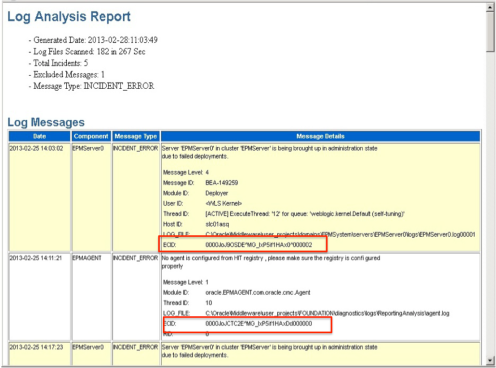
1.)  Load Balance when you can

Load Balancing

Load balancing gives you the best of both worlds – distributing load for performance, and hardware fault tolerance.

This is naturally suited for Web Components.  Many of the BI Web components are, in essence, stand alone web sites packaged and contained in a Java Application Server (WebLogic, WebSphere, etc).  These sites simply respond to requests and can be load balanced.

  • Workspace
  • Web Analysis
  • Financial Reporting Web Components
  • Planning
  • Analytic Provider Services

2.)    Use product built-in clustering when you can

Some components have the built in concept of clusters, some have built in round robin load balancing. It’s best to take advantage of that when you can and let the product handle the high availability.

  • Built in Clusters (Must still supply a load balancer)
    • Financial Management
    • Financial Data Quality Management
  • Built in load balancing
    • Interactive Reporting
    • Production Reporting
    • PDF Print Server

3.)    3rd Party failover only when you have to

Cluster

Some of the other components of the EPM system do not load balance or cluster well.  I call these “The Highlanders” because there can be (or should be) only one.

HH

There can be only one Highlander

  • Foundation
  • Financial Reporting Scheduler Server
  • Essbase Administration Services
  • Essbase Integration Services
  • EPMA Dimension Server
  • Essbase Studio

Notes on Essbase

Sure if you look at the High Availability support matrix, Oracle is happy to say that Essbase can be clustered and Load Balanced.  But look closely… that is in read only mode only.  While there are a few situations a read-only Essbase cluster makes senses for an organization, I almost always see this limitation making the Essbase cluster solution useless. It certainly will not work for Planning.

To make matters worse, Oracle will not support 3rd party clustering of any kind on Essbase – not even Oracle Clusterware.  While this is supposed to be address in the next release in Sept/Nov, it leaves us little choice on the Essbase layer.

Our options are to:

Do it anyway. But just know that if Oracle determines that a support issue is related to the cluster, they have every right to insist that you demonstrate the issue without it in the mix before they will take responsibility.  However, for most behavioral or performance issues that you would call support about, Oracle should not know or even care that your Essbase is running on top of a cluster.

Do an active/Cold stand-by. In essence have a powered-off machine configured with the same hostname/IP address connected to the same shared disk resource as the active machine. Upon failure, there will be a manual process of shutting down the active server (if needed), dismounting the disk resource, starting up the cold server, mounting the disk resource, and bringing services online.

Notes on OBIEE

OBIEEI have to say that OBIEE is pretty flexible and robust for high availability.  There are many components to OBIEE, and each can be configured independently for load balancing as needed.  The problem is that each MUST be configured independently. The Flexibility is great, but it can be a challenge to set up for the novice.  And, I’m not sure how necessary it all is.  Popular methodology for OBIEE is to install all components on every server in the cluster and load balance between them.  It would be nice to have a more graphical, built in, approach to that…but in the mean time, we have loads of fun editing INI and XML files.

The point is that OBIEE can be fully redundant and fault tolerant, and using a certified partner, don’t be afraid to insist it in your organization.  It works.

If you would like to discuss H/A in your environment, please contact me.

Eric in Oracle Magazine

•August 17, 2009 • Leave a Comment

sep09_ocover_medium 

Check out the latest edition of Oracle Magazine.  Eric is featured in the Community section.


Here is the link: 

http://www.oraclemagazine-digital.com/oraclemagazine/20090910/?pg=35%26pm=2%26u1=002%26sub_id=aPtdEmyWInca

What I like and Dislike about Version 11

•July 5, 2009 • 2 Comments

My Favorite Version 11 Infrastructure related features:

  • Planning data source creation moved to workspace
    • No longer do you have to launch the config tool on the server to create a planning data source.
  • Essbase Archive Logging
    • It’s about time.  With version 11, you can replay and undo transactions with archive logging.  The best part:  point-in-time recovery of Essbase.
  • Integrated Installer with diagnostics
    • It’s nice to see more attention to the installation process.  We no longer need to be concerned with installation order.
  • Life Cycle Management.
    • Finally a working tool to promote objects from Dev->Test-> Production.  It even has a command line interface so you can script a data refresh processes.
  • Free Stuff!
    • Oracle is not offering Weblogic and Oracle Clusterware for free if you use it exclusively with the EPM product.  Saves a ton of cash and you get an enterprise class web application server.
  • Linux and 64-bit support
    • I’m excited to see Oracle become more Linux aware. We are now seeing many more products supporting Linux, making EPM an affordable solution for even the smallest of shops.
  • Better OBIEE integration.
    • It’s clear that this is the strategic direction.

Things that still bother me:

  • Not all products have been ported to Linux / Unix
    • We still have the need to use windows for some things.
  • 64-bit not really 64-bit?
    • installation can be problematic on some products.  Even though the docs say 64-bit is supported, many of the compiled binaries are still 32-bit.
  • Oracle Support
    • Support is still quite challenging.

Catch Eric’s Session at Kaleidoscope

•June 4, 2009 • Leave a Comment

Kaleidoscope is an annual technically focused conference conducted by the ODTUG.  This year it will be in Monterey, CA June 21-25.  Check out the Website for more information:

http://www.odtugkaleidoscope.com/

Check out Eric’ session:

Upgrade Oracle Hyperion Planning from 9x to 11.1.1

Location: Cypress I & II
Time: Session 17, Thursday, 8-9am.

Learn how to successfully upgrade Hyperion Planning to 11.1.1 version. This presentation will describe how to install and configure the 11.1.1 release, migrate the application meta data and data, as well as users and business rules. This presentation will also include best practices description, which can help you successfully upgrade your planning environment. A brief 11.1.1 functional overview will also be provided.

If  you are going to attend Kaleidoscope… let me know!

The OAUG Hyperion SIG Meeting

•May 12, 2009 • Leave a Comment

Conferences like Collaborate are natural places for the Special Interest Groups (SIGS) to hold meetings, as members are normally spread across geographical regions.  Sunday evening, the OAUG Hyperion SIG met. It was kicked off by the current president, Ed Delise, who talked a bit about the accomplishments of the SIG over the last year.  The SIG has made some great progress and has matured quite a bit, although there is much more to do.  Luckily, we have a great team of energized and motivated board members that continue to make the Hyperion SIG the true “Home for Hyperion”.  Now more than ever – it is a great time to join. Web Membership is free.

The Major Take-aways….

  1. Ed Delise is stepping down as President. I strongly encourage customers who want to make a difference in the Hyperion Community to consider running for a board position.  Nominations close on May 6th.
  2. The Marketing and Communications Coordinator, Kristen Newman, announced that the OAUG has been in talks with Oracle to perhaps conduct a Hyperion EPM and BI only conference to give the BI Community their own conference.  (Sound familiar?  Solutions revisited?)  They were originally looking at possibly November for this, but I think the general consensus is that is a bit too aggressive.  I would bet that if this indeed comes to fruition, it will be more around Q1 2010.  Stay tuned.
  3. Ed Delise was given an appreciation award for his work on the SIG for the last two years.  Congratulations to him.
  4. Michael Schrader gave a 30 minute presentation on EPM in Trouble Times.  However, this seemed to be about the same content that was presented by John Kopcke a bit later.

Each domain lead gave a 5 minute domain update….  I will go over my updates as the Member Services Coordinator and Domain Lead for Infrastructure…

Member Services Coordinator Update

The Member Services update was covered by Ed, however here are the main take-aways…

1. The Hyperion SIG has created a new LinkedIn group which will be used for the official forum.  It is free to use for customers.

LinkedIn Group: OAUG – Hyperion SIG

http://www.linkedin.com/groups?gid=1834504

This group is intended for an open and free discussion as the home for Hyperion.  Job postings will be rejected. Please join!  It’s a great place to keep up with what is going on and a resource you can use to ask questions, seek assistance, and bounce ideas off of the user community.

2. Establishing a back-channel into Oracle. I am working very closely with Regina Robuck, Manager, Affiliate Communities with OAUG and Mark Conway, Director, Alliance for Performance Leadership at Oracle to establish a special channel to Oracle on behalf of the Hyperion SIG.  This channel can be used to communicate major issues, enhancement requests, bugs, etc to Oracle ad get solid feedback from them.  The channel can also be used for Oracle to provide important news and roadmap information back to the community.   Stay tuned for more information on that.

Infrastructure Domain Update

Version 11 is the most aggressive Enterprise-class EPM System that Oracle has ever produced.  Oracle has done a great job integrating the capabilities of the Hyperion Suite with the robustness of Oracle methodology.  Companies are now using Oracle EPM Solutions in global, mission critical capacities.  As such, the importance of a sound infrastructure is on the forefront of IT manager’s minds to ensure information delivery service levels.   More and more companies are rolling out Oracle EPM solutions in highly available fashions using clustering, 24-hour helpdesk monitoring, and follow-the-sun operations. Knowledge transfer and training of IT staff in the areas of monitoring, tuning, troubleshooting, backup/recovery, and scalability are the keys to successful implementations.

Current Trends in Hyperion Infrastructure

  • More customers are moving to version 11, but many waiting
  • Those that stay on 9.3 opt to install all the latest and greatest patches – worth it!
  • More multiple tier requests (ie DEV and TEST)
  • More interest in additional 3rd party support packages to supplement Oracle Support
  • Generally more involvement of IT department, mission critical
  • IT more involved in creating a proper path-to-production migration and change management policy/procedures
  • More attention to backup/recovery and disaster/recovery testing

Hot Topics in Infrastructure – Customized IT Training

  • Strive for an autonomous IT departmentDaily maintenance/system administration
  • Data flows, communities ports, security
  • Starting/stopping
  • Location of logs/troubleshooting
  • Backup/recovery
  • Monitoring, scaling
  • Migration

Hot Topics in Infrastructure – Business Continuance

  • Minimize downtime in crashes/disasters
  • Make use of Clustering technologies
    • Oracle Cluster Server (only in V11)
  • Load balancing
    • Web Services\Distribute load
    • maintenance with availability
  • Redundant Disk systems
    • SANS, mirrors, snapshots
  • Staging for scalability
    • DNS and virtual IPs
  • Version 11 Essbase archiving logs
    • Point in time recovery (finally)

Another Collaborate conference is officially in the history books

•May 12, 2009 • Leave a Comment
Hackett Booth

Hackett Booth

The Collaborate Conference was held at the Orange County Convention Center in Orlando this year.  The facility is mammoth – which is great – there was plenty of room for everyone and things were well marked.   All of the Hyperion sessions were held in one almost secluded area.

We estimated there were about 200 attendants to the Collaborate conference that that were there for Hyperion….so you generally see the same people at least walking around in the Hyperion section.

OAUG

OAUG at Collaborate

That made it nice and easy for those to go from session to session without being rushed.  However, if you wanted to go to a session outside of the Hyperion track, you were in for quite a walk.  I attended a couple IOUG sessions around Oracle Cluster Server and felt like I should have taken a taxi.

There were some folks getting around on Segways and other electric scooters – I was quite jealous.

Attendance was low, as we expected.  In general we saw less people in each of the sessions and less activity in the booth and vendor area.  However, it was my experience that the customers that did attend were there for a reason and got a lot out of the conference.  In general, I think the conference provided attendants a way to learn and interact

John Kopke

John Kopcke

with partners that gave them some great ideas and lessons learns as they consider their upcoming Hyperion projects.

he sessions I attended were generally good quality.  I spent a lot of time going to roadmap and future state sessions, including John Kopcke’s Oracle’s Business Intelligence Strategy.  I also went to a couple OBIEE, case studies on using Oracle in virtualized environments, and Oracle Clusterware. My session on Mission Critical Hyperion environments went well too.

The lunch food was awful.  But the evening snacks were not bad.

LUNCH

Really?

Wednesday night was the conference outing to the Island Adventure Theme Park. They rolled out the red carpet and we all had exclusive access to the park for 3 hours. It was a great time as we experienced  all the theme rides over and over again.  Afterwords, it was a family reunion with a bunch of old friends:  Below is Sean Bernhoit, Maria Myers, Ash Jain, and Kelliann Hoelscher doing our best Spiderman impression.

Island Signred carpetThe gang

I look forward to Collaborate 10 – Las Vegas!